
OnePass3.2 - App Store
You'll be able to see results in few seconds.
Publisher Description

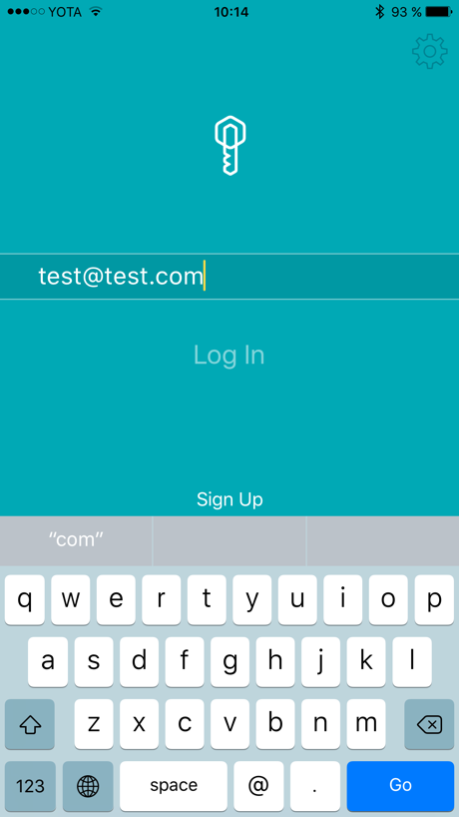


This application demonstrates the functionality of the biometric authentication cloud service OnePass provided by the STC-innovation Ltd.
In this application it’s possible to create your own biometrical password and go through the verification.
OnePass technology: touchless biometric authentication service
OnePass is a bimodal biometric authentication service that stands on 3 main pillars:
1. Facial verification is done at the very beginning. The whole process is similar to a selfie, during which the system analyzes distinctive facial features.
2. Voice verification is based on a dynamic password phrase that has to be read aloud from the screen. The passphrase is new every time, so there is no need to remember anything. Crucial element is not the password itself, but the identified voice pattern.
3. Liveness detection determines whether the person in front of the camera is authentic, not photographed or recorded. It analyzes recorded during the voice verification stage mimic expressions and makes the conclusion about whether the person in front of the camera is real, or recorded. This algorithm serves as protection against photo, video or audio usage by potential hackers.
As to security of the user data, it is stored in an encrypted form, so even if the database gets hacked or stolen, there is no way it can actually be used. It's impossible to reverse the voice and image synthesis and, luckily, OnePass only recognises live voice and dynamic image from the camera.
OnePass technology can substitute traditional authentication in a wide range of industries. What is more, the service is cloud-based, so it is easily integrated into any mobile application, web service or corporate information system. High level of security, reliability and simplicity of verification process can help attract new customers, decrease the demand for offline customer services (therefore, costs), increase customer loyalty and satisfaction.
The exclusive rights belong to the STC-innovation Ltd.
Dec 12, 2018
Version 3.2
Static password phrase verification
About OnePass
The company that develops OnePass is Центр речевых технологий. The latest version released by its developer is 3.2.
To install OnePass on your iOS device, just click the green Continue To App button above to start the installation process. The app is listed on our website since 2018-12-12 and was downloaded 0 times. We have already checked if the download link is safe, however for your own protection we recommend that you scan the downloaded app with your antivirus. Your antivirus may detect the OnePass as malware if the download link is broken.
How to install OnePass on your iOS device:
- Click on the Continue To App button on our website. This will redirect you to the App Store.
- Once the OnePass is shown in the iTunes listing of your iOS device, you can start its download and installation. Tap on the GET button to the right of the app to start downloading it.
- If you are not logged-in the iOS appstore app, you'll be prompted for your your Apple ID and/or password.
- After OnePass is downloaded, you'll see an INSTALL button to the right. Tap on it to start the actual installation of the iOS app.
- Once installation is finished you can tap on the OPEN button to start it. Its icon will also be added to your device home screen.
Program Details
System requirements
Download information
Pricing
Version History
version 3.2
posted on 2018-12-12
Dec 12, 2018
Version 3.2
Static password phrase verification
version 1.0
posted on 2016-09-07
Disclaimer
Official App Store Link
We do not host OnePass on our servers. We did not scan it for viruses, adware, spyware or other type of malware. This app is hosted by Apple and passed their terms and conditions to be listed there. We recommend caution when installing it.
The App Store link for OnePass is provided to you by apps112.com without any warranties, representations or guarantees of any kind, so access it at your own risk.
If you have questions regarding this particular app contact the publisher directly. For questions about the functionalities of apps112.com contact us.
